Artificial intelligence tools are improving quickly. Every week, a new platform promises to automate customer service, replace administrative work, or “10x productivity.”
For a small business owner, that creates pressure. You start to wonder: Are we falling behind? Should we be using this?
But in my experience, the right question isn’t “How do we add AI?”
It’s “What problem are we actually trying to solve?”
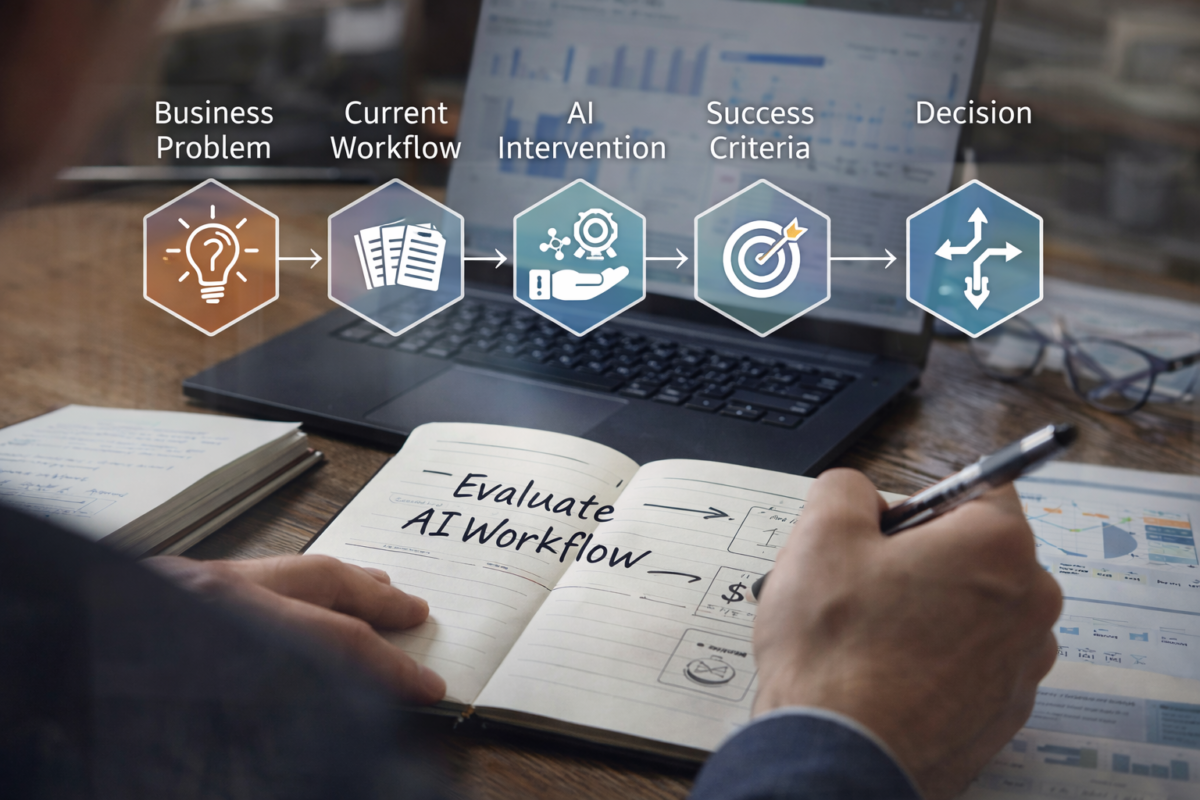
Before I would recommend any AI workflow to a small business, I would evaluate it using a structured framework. This is the same mindset I bring to writing great technical documentation: understand the system first, then decide what to change.
Here is how I would approach it.
1. Start With the Business Problem, Not the Tool
Most AI implementations fail because they begin with curiosity instead of necessity.
Instead of saying:
“Let’s use ChatGPT for customer emails.”
I would ask:
- How many inbound emails do we receive per day?
- How long does it take to process them?
- Where do delays happen?
- What errors are most common?
The goal is to define a measurable pain point. For example:
- “Email triage consumes 10 hours per week.”
- “We miss 15% of inbound leads because responses are delayed.”
- “Invoice follow-ups are inconsistent.”
Without a clearly defined bottleneck, AI becomes an experiment in search of a justification.
2. Map the Existing Workflow
Before introducing automation, I would map the current system.
For any process, I want to know:
- Inputs (emails, forms, calls, spreadsheets)
- Decision points (who decides what?)
- Outputs (responses sent, invoices generated, reports delivered)
- Human touchpoints
- Time spent per step
This often reveals something surprising: the inefficiency isn’t where we assumed.
For example, a business might think drafting emails is the time sink. But when mapped carefully, the real bottleneck is categorizing messages or extracting structured data.
AI can help with drafting. It can also help with classification and summarization. But unless you understand the workflow, you won’t know where to apply it.
3. Identify the Type of AI Intervention
Not all AI usage is the same. I generally think in three categories:
- Assistive – AI helps a human complete a task faster (e.g., drafting, summarizing, suggesting responses).
- Semi-Automated – AI performs a task but requires human review (e.g., tagging leads before approval).
- Autonomous – AI acts independently with minimal oversight (e.g., voice agents booking appointments).
For most small businesses, I would start with assistive workflows. They reduce risk and build familiarity without surrendering control.
Jumping directly to autonomy may save time, but it also increases exposure to errors and customer frustration.
4. Define Success Before Testing
If I were evaluating an AI workflow, I would define success metrics before implementation.
Possible measures include:
- Time saved per week
- Reduction in error rate
- Faster response time
- Increase in lead conversion
- Lower administrative burden
For example:
“If this reduces email processing time from 10 hours to 4 hours per week without increasing errors, it succeeds.”
Without defined criteria, it’s easy to assume improvement just because the technology feels advanced.
Small businesses don’t need impressive tools. They need measurable gains.
5. Model Costs Beyond the Subscription
AI tools often advertise low monthly pricing. But subscription cost is rarely the full expense.
I would consider:
- Setup time
- Integration complexity
- Ongoing prompt refinement
- Oversight requirements
- Staff training
- Data privacy implications
An automation that saves 3 hours per week but requires 5 hours per week of monitoring isn’t progress.
In some cases, the most responsible recommendation may be to wait. AI systems improve rapidly. What is fragile today may be stable six months from now.
6. Assess Risk and Reversibility
Before recommending AI in customer-facing workflows, I would ask:
- What happens if it fails?
- Who notices first?
- How quickly can we revert to manual?
- Is reputational damage possible?
An internal summarization tool carries low risk. An AI receptionist mishandling bookings carries higher risk.
One principle I favor: start with workflows where failure is reversible and contained.
That builds confidence without jeopardizing customer trust.
7. Decide: Automate, Assist, or Leave Alone
After evaluating problem clarity, workflow mapping, cost, risk, and metrics, the decision becomes clearer.
Sometimes the answer is:
- Automate fully.
- Implement as assistive support.
- Redesign the process before introducing AI.
- Or do nothing at all.
Not every inefficiency requires automation. Some require clearer procedures or better documentation.
In that sense, AI should enhance a functioning system — not compensate for a chaotic one.
Why This Matters
Small businesses don’t need to chase every new AI feature. They need disciplined experimentation.
The opportunity is real. AI can reduce repetitive administrative work, improve responsiveness, and surface insights buried in spreadsheets. But the benefit comes from structured evaluation, not enthusiasm.
Over the coming months, I plan to apply this framework to specific small business scenarios — modeling workflows, estimating ROI, and identifying where AI meaningfully fits.
The goal isn’t to automate everything.
It’s to design smarter systems.
And that starts with asking better questions before touching a single tool.